
 Join our Discord
Preview: https://youtu.be/fUfCUMfInDw
Advanced Pause Menu | Multi-Framework
Short Description
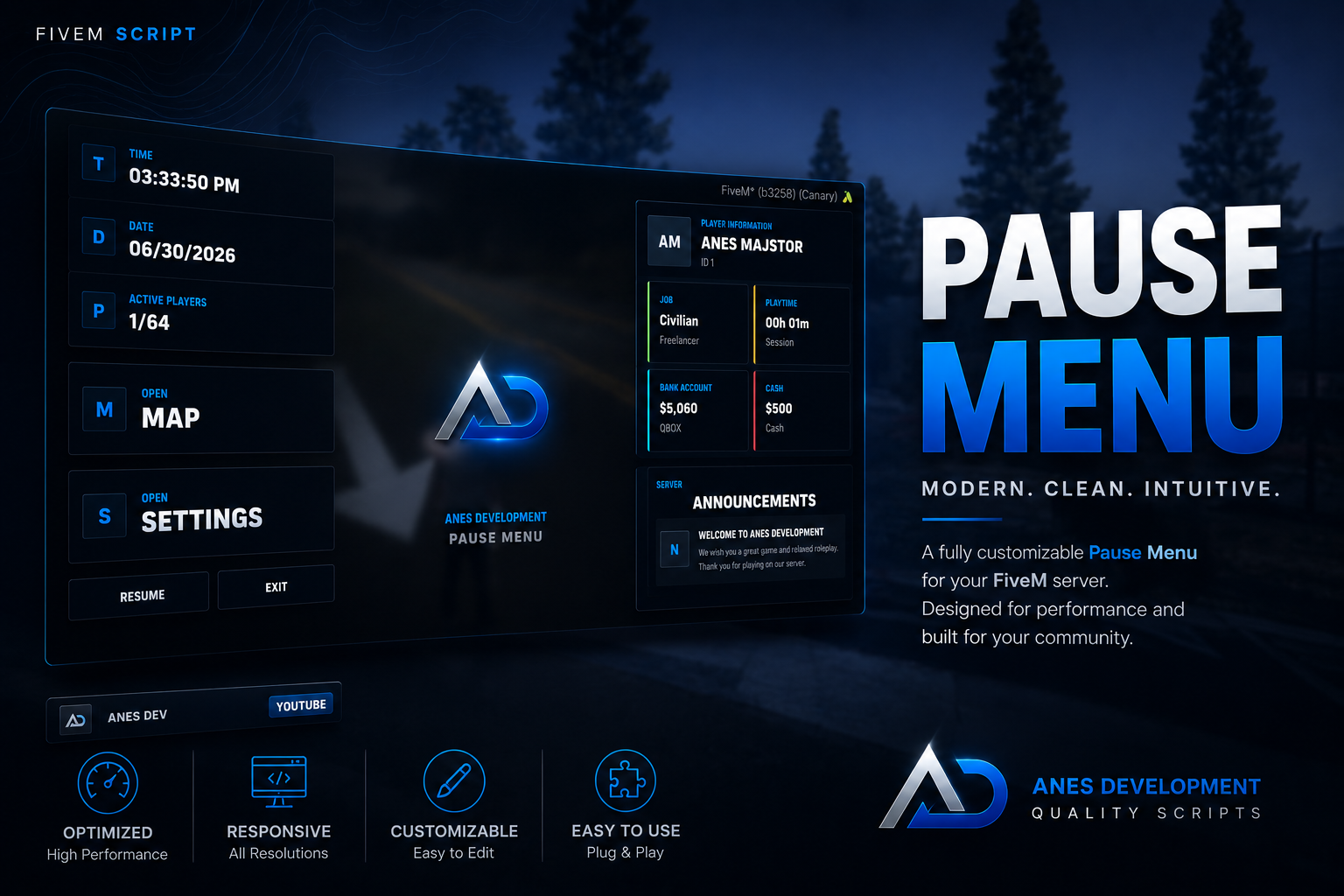
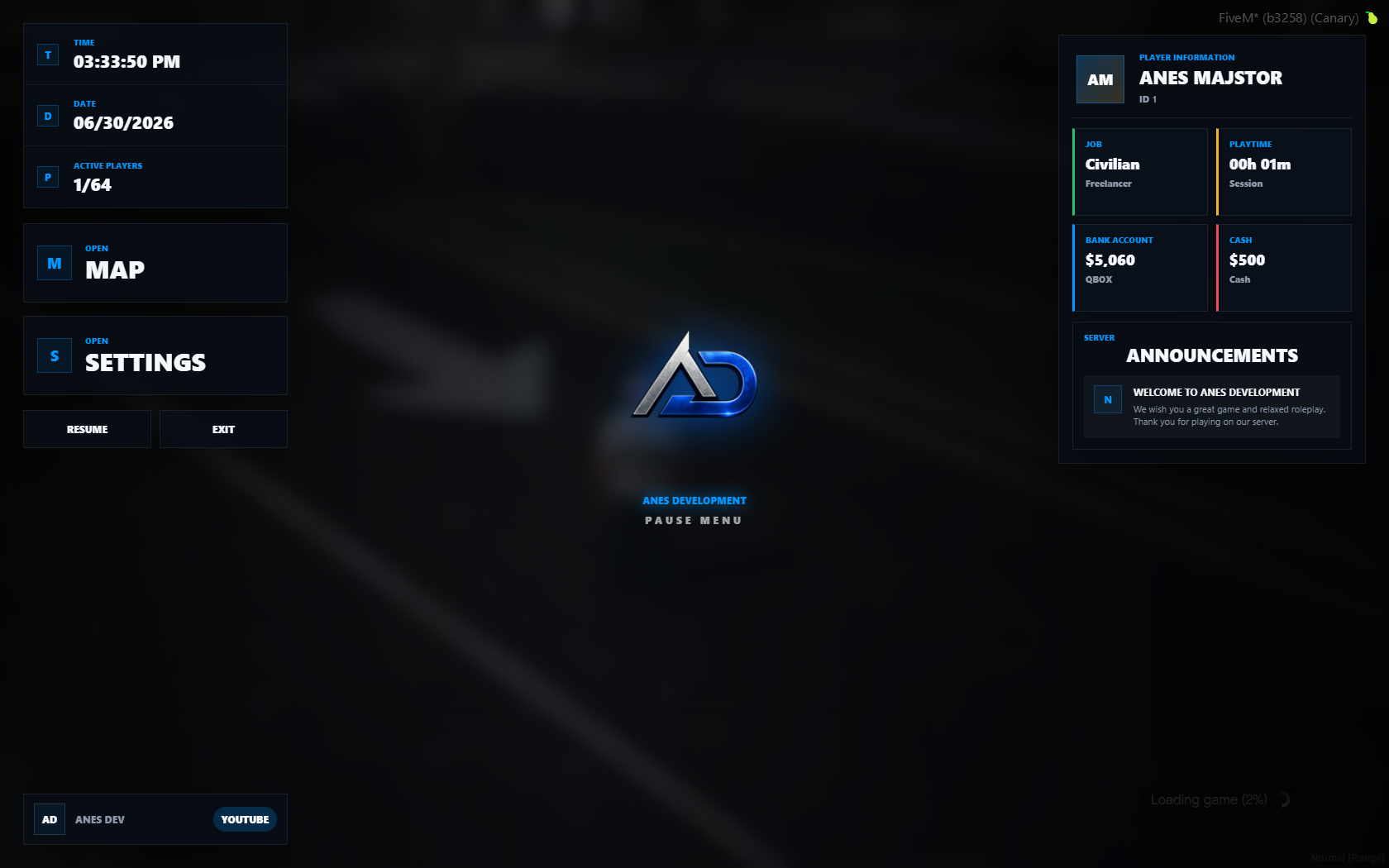
A modern custom FiveM pause menu with player information, job, bank, cash, playtime, server status, announcements, and quick actions. Supports QB-Core, Qbox, ESX, and standalone mode.
Product Description
ADEV Pause Menu is a clean, modern, and production-ready custom pause menu resource for FiveM servers.
It replaces the default pause menu experience with a polished server dashboard that displays important player and server information in one place. The UI is designed for serious roleplay servers that want a professional branded pause menu instead of the basic default GTA/FiveM pause interface.
The resource includes a centered logo area, quick access buttons, player information, job details, money balances, session playtime, server announcements, current date/time, and active player count.
It is built to be easy to configure, easy to brand, and ready for paid release with FiveM Asset Escrow.
Main Features
-
Modern custom pause menu UI
-
Clean roleplay dashboard style
-
Centered server/logo branding
-
Player information panel
-
Character name display
-
Player ID display
-
Job and job grade display
-
Bank balance display
-
Cash balance display
-
Session playtime from the moment the player joins the server
-
Active players counter
-
Current time and date display
-
Server announcements section
-
Quick Map button
-
Quick Settings button
-
Resume button
-
Exit/Disconnect button with confirmation
-
Multi-framework support
-
Standalone fallback mode
-
Easy configuration
-
Editable UI files
-
Editable logo
-
Editable integration hooks
Framework Support
This resource supports:
-
QB-Core
-
Qbox / QBOX
-
ESX
-
Standalone fallback
The script can automatically detect the active framework, or you can force a specific framework in the configuration file.
Supported config modes:
Config.Framework = 'auto'
Config.Framework = 'qb'
Config.Framework = 'qbox'
Config.Framework = 'esx'
Config.Framework = 'standalone'
Displayed Player Data
The pause menu can display:
-
Character name
-
Player ID
-
Job name
-
Job grade/rank
-
Bank money
-
Cash money
-
Session playtime
-
Current framework mode
-
Active player count
For custom framework setups, editable hooks are included so server owners can override or extend the displayed data.
Configuration
The resource is simple to configure through config.lua.
You can change:
-
Server name
-
Server subtitle
-
Server logo
-
Announcement title
-
Announcement text
-
Social labels
-
Framework mode
-
Money account names
-
Currency symbol
-
Locale formatting
-
Max players
-
Open command
-
Backup keybind
-
Pause menu controls
-
Disconnect message
-
Native map/settings behavior
Escrow
This resource is protected by FiveM Asset Escrow.
Core Lua files are intended to be protected by escrow, while customer-editable files remain open.
Editable files include:
-
config.lua -
client/editable.lua -
server/editable.lua -
html/index.html -
html/style.css -
html/script.js -
html/assets/anes.webp -
Documentation files
Protected core files include:
-
client/core.lua -
server/core.lua
NUI files are intentionally editable so customers can change the UI, styling, and branding without touching protected core logic.
Installation
- Download the resource.
- Place the
adev-pausemenufolder inside your server resources folder. - Add this to your
server.cfg:
ensure adev-pausemenu
- Configure the resource in
config.lua. - Restart your server.
Default Usage
-
Press
ESCorPto open the custom pause menu. -
Use
/pausemenuas a command fallback. -
Default backup key is
F10. -
Players can change keybinds in GTA/FiveM keybind settings.
Requirements
-
FiveM server
-
QB-Core, Qbox, ESX, or standalone setup
-
No additional dependencies required
Notes
-
This resource does not require ox_lib.
-
This resource does not require any external UI library.
-
This resource is designed to work out of the box.
-
Framework data is handled server-side.
-
Session playtime resets when the player leaves the server.
-
Bank/cash account names can be changed in the config.
Included Files
-
Full FiveM resource
-
NUI interface
-
Anes Development logo asset
-
Config file
-
Editable client hooks
-
Editable server hooks
-
Installation documentation
-
Configuration documentation
-
License file
Support
If you need help with installation or configuration, please open a support ticket through our Discord.
Thank you for choosing Anes Development.